
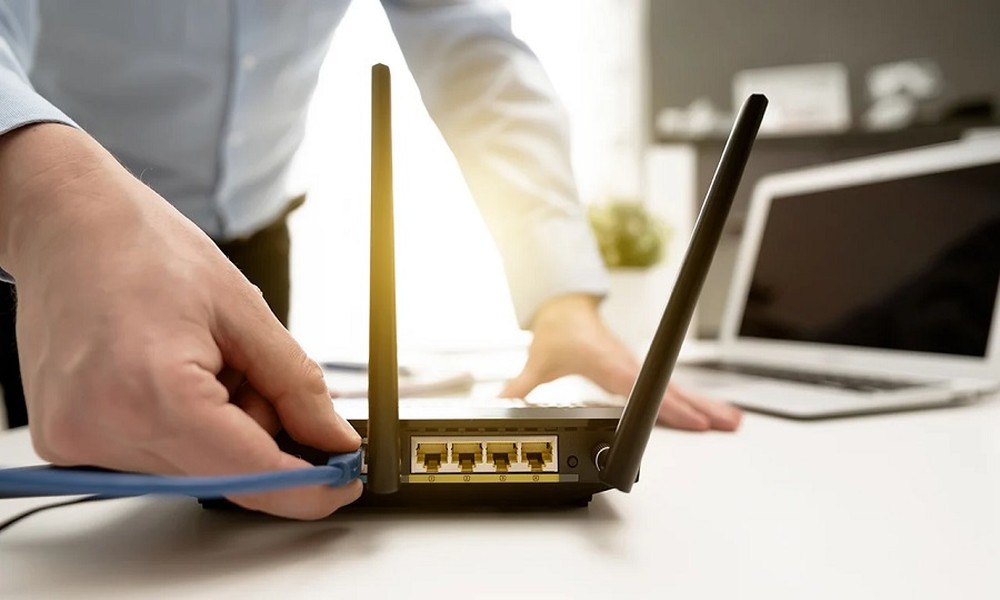
Remote work has become a permanent part of working life in New Zealand. Whether you are a freelancer, business owner, or employee working from home, your productivity depends heavily on one thing: a reliable internet connection. Unfortunately, many people struggle with remote work internet issues even when they have fast broadband plans.
The root cause is rarely the internet provider. In most cases, poor WiFi setup in New Zealand homes creates bottlenecks that slow work, interrupt meetings, and reduce efficiency. This article explains how proper WiFi setup improves productivity and what remote workers can do to create a stable home office internet environment.
Why Internet Reliability Matters for Remote Work
Remote work relies on:
- Video conferencing
- Cloud-based applications
- File uploads and downloads
- Real-time collaboration tools
Even minor WiFi interruptions can cause dropped calls, delayed uploads, and lost work time. Over weeks and months, these disruptions have a direct impact on performance and stress levels.
A properly designed home office internet setup removes these obstacles and supports consistent daily productivity.
Common Remote Work Internet Issues in NZ Homes
Many remote workers experience the same recurring problems.
1. Unstable WiFi Connections
WiFi that drops in and out disrupts meetings and workflow. This often happens when routers are placed too far from the home office.
2. Slow Upload Speeds
Video calls and file sharing depend on upload speed. Poor WiFi setup reduces available upload bandwidth, even on fibre connections.
3. WiFi Dead Zones
Home offices located in spare rooms, garages, or upstairs areas often suffer from weak signals.
4. Network Congestion
Multiple users streaming, gaming, or browsing at the same time compete for bandwidth during work hours.
These issues are common across New Zealand households and are closely linked to WiFi design rather than internet plans.
How Proper WiFi Setup Improves Productivity
1. Stable Video Calls and Meetings
Correct router placement and network optimisation reduce lag, freezing, and dropped connections during video calls.
2. Faster File Transfers
Optimised WiFi ensures consistent upload and download speeds, improving cloud access and collaboration.
3. Reduced Downtime
Fewer disconnections mean less time troubleshooting and more time focused on work.
4. Better Focus and Less Stress
Reliable internet removes frustration and interruptions, allowing remote workers to maintain concentration throughout the day.
Key Elements of a Productive Home Office Internet Setup
Router Placement
Routers should be positioned centrally and as close as possible to the home office. Avoid placing routers in cupboards, behind TVs, or near metal objects.
Modern WiFi Hardware
Older routers struggle with modern workloads. Dual-band or mesh WiFi systems provide better coverage and performance for remote work environments.
Network Optimisation
Configuring device prioritisation ensures work devices receive bandwidth during peak usage times.
Secure Network Configuration
Proper security settings protect sensitive work data and prevent unauthorised access that can slow the network.
WiFi Setup Solutions for Different Home Sizes
Small Homes or Apartments
A single high-quality router with correct placement is often sufficient.
Medium to Large Homes
Mesh WiFi systems or strategically placed access points eliminate dead zones and provide consistent coverage.
Shared Households
Network segmentation and device prioritisation help prevent non-work activities from affecting productivity.
Choosing the right solution depends on layout, usage, and the number of connected devices.
DIY Fixes vs Professional WiFi Setup
Basic steps such as restarting routers or changing WiFi passwords may help temporarily. However, recurring problems usually require proper assessment.
Professional WiFi setup services include:
- Signal strength testing
- Interference identification
- Hardware recommendations
- Network configuration
- Security optimisation
Many remote workers in New Zealand rely on specialists such as Tech on Road to design home networks that support long-term productivity rather than short-term fixes.
When to Upgrade Your Home Office Internet Setup
You should consider improving your setup if:
- Video calls frequently freeze or drop
- Uploading files takes longer than expected
- WiFi speed varies between rooms
- Work interruptions happen daily
Investing in proper WiFi setup in New Zealand homes often delivers better results than upgrading internet plans alone.
Final Thoughts
Reliable internet is the foundation of effective remote work. Most remote work internet issues are not caused by slow broadband but by poor WiFi design inside the home. With the right router placement, modern hardware, and proper configuration, remote workers can significantly improve productivity and reduce daily frustration.
A well-planned home office internet setup is no longer optional for New Zealand’s remote workforce. It is a practical investment in efficiency, reliability, and long-term work performance.